Button with two functions. More...
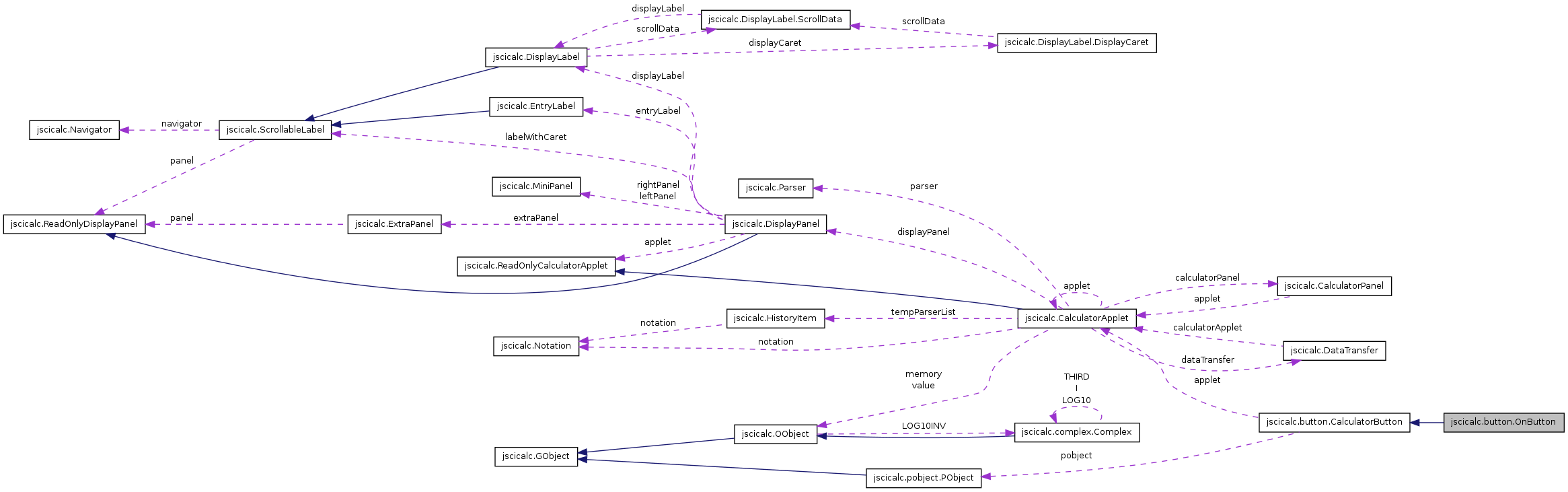
Public Member Functions | |
| OnButton (CalculatorApplet applet) | |
| Constructor. | |
| void | actionPerformed (java.awt.event.ActionEvent actionEvent) |
| Ask CalculatorApplet to set its state to on and clear the DisplayLabel. | |
Static Private Attributes | |
| static final long | serialVersionUID = 1L |
Detailed Description
Button with two functions.
One is to switch the calculator on, the other to clear the current expression (or the most recently evaluated since EqualsButton and its subclasses leave the expression visible). In fact both functions are always carried out because switching a calculator on when it is already on has no effect and when we sitch on we always want a clear display.
- Version:
- Revision:
- 1.4
Constructor & Destructor Documentation
| jscicalc.button.OnButton.OnButton | ( | CalculatorApplet | applet | ) |
Constructor.
Sets PObject to On.
- Parameters:
-
applet The controller object.
References jscicalc.button.CalculatorButton.pobject, jscicalc.button.CalculatorButton.setText(), jscicalc.button.CalculatorButton.setTextSize(), jscicalc.button.CalculatorButton.setToolTipText(), jscicalc.button.CalculatorButton.shortcut(), and jscicalc.button.CalculatorButton.tooltip().
Member Function Documentation
| void jscicalc.button.OnButton.actionPerformed | ( | java.awt.event.ActionEvent | actionEvent | ) |
Ask CalculatorApplet to set its state to on and clear the DisplayLabel.
- Parameters:
-
actionEvent The event that generated this method call: usually a button press or called when CalculatorApplet responded to the key associated with this button
Reimplemented from jscicalc.button.CalculatorButton.
References jscicalc.button.CalculatorButton.applet, jscicalc.CalculatorApplet.clear(), jscicalc.button.CalculatorButton.getApplet(), jscicalc.CalculatorApplet.getMode(), jscicalc.CalculatorApplet.setMode(), jscicalc.CalculatorApplet.setOn(), jscicalc.CalculatorApplet.setShift(), jscicalc.CalculatorApplet.setValue(), and jscicalc.CalculatorApplet.updateDisplay().
Member Data Documentation
final long jscicalc.button.OnButton.serialVersionUID = 1L [static, private] |
Reimplemented from jscicalc.button.CalculatorButton.
The documentation for this class was generated from the following file:
